

When it comes to packaging printing, getting bright, clear, and on-brand colors is super important. The CMYK color model is the basic system that makes most packaging designs possible. In this guide, we’ll take a close look at the CMYK color model—how it works, why it matters, what’s great about it, where it can be tricky, and the best ways to use it for packaging printing.
Fundamental Analysis of the CMYK Color Model
Let’s take a closer look at the color system that makes it all possible: the CMYK color model.
1.What is CMYK
The CMYK color model is the main system printers use to create full-color images on packaging. It’s made up of four basic colors: cyan, magenta, yellow, and black.
Here’s how each one works in the printing world:
- Cyan: A bright blue shade that helps make greens and blues stand out.
- Magenta: A strong pinkish-red that’s great for creating purples and reds.
- Yellow: The sunny color that’s used for yellows and for mixing greens and oranges.
- Black (K): Added to make shadows, deep tones, and text look sharp. It also means less cyan, magenta, and yellow ink is needed, which helps save on printing costs.
By mixing these four inks in different amounts, printers can create almost any color you see on a package. That’s why CMYK is the go-to choice for everything from snack bags to beauty product boxes.
How the CMYK Subtractive Color Model Works
The CMYK system is called a subtractive color model. That’s just a fancy way of saying it works by removing (subtracting) light. Here’s how it happens:
- When you print on white paper, the paper reflects all colors of light.
- As you add layers of cyan, magenta, yellow, or black ink, each ink absorbs (or “subtracts”) certain parts of the light and reflects the rest back to your eyes.
- By carefully mixing these inks, printers can create almost any color.
For example: If you mix cyan and yellow inks, the cyan absorbs red light, and the yellow absorbs blue light. The only light left to bounce back is green—so you see green!
This subtractive process is what allows printers to turn just four inks into the rainbow of colors you see on packaging.
After understanding how CMYK inks can be combined, let’s see how printers achieve smooth color changes and lifelike images in practice.
2.Color Mixing and Halftone Technology
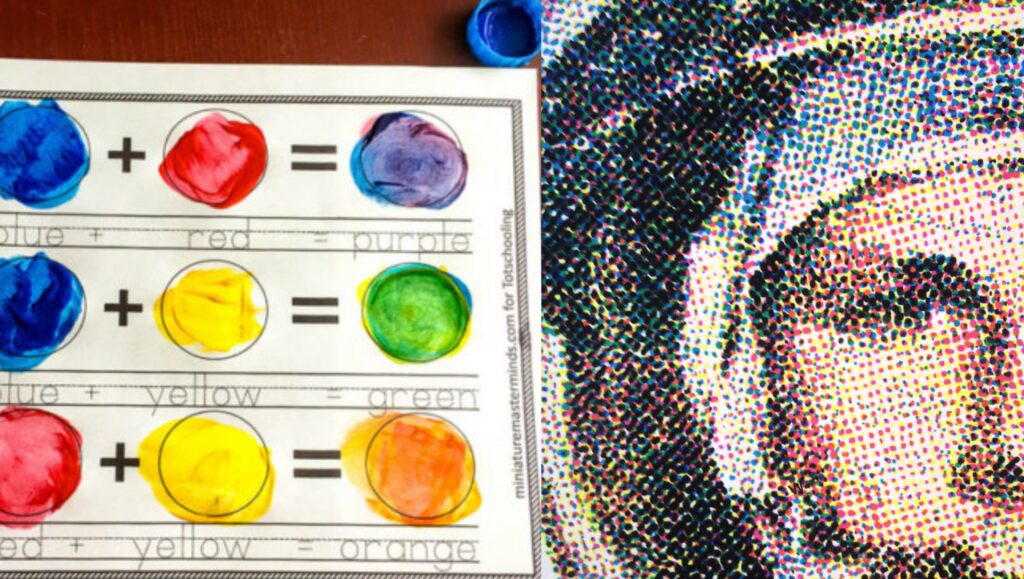
To create the rich variety of colors and visual effects needed for modern packaging, We rely on two key techniques: adjusting the proportions of ink for color mixing, and halftone dot technology for smooth gradients and photo-like images. Let’s look at how each method works and where they’re most often used.
- Achieving Color Variation through Ink Mixing
CMYK printing creates a wide range of colors by adjusting the amount of each ink used. For example, to get a light pink, only a small amount of magenta ink is printed, letting most of the white paper show through. As the magenta ink percentage increases—and a little yellow is added—the color deepens, turning from light pink to deep red.
So, the more concentrated the ink, the richer and darker the color appears. This ability to fine-tune ink levels allows printers to produce everything from soft pastels to vibrant, bold shades—just by changing the proportions.
This method is especially common in packaging designs with large color blocks or simple graphics, such as backgrounds on snack bags, cosmetic boxes, or branding elements. By adjusting ink proportions, designers can quickly achieve the exact shade they want for eye-catching and consistent brand colors.
- Halftone Dot Technology
But how do printers achieve smooth gradients and photo-like images with only four inks? That’s where halftone dot technology comes in. Instead of printing solid colors, printers use thousands of tiny dots in different sizes and densities. In lighter areas, the dots are small and spaced out; in darker areas, they’re larger and packed closer together.
Halftone technology shines in packaging that needs detailed images or smooth gradients, like high-end chocolate boxes, packaging box with photographic labels, or any packaging featuring photos, illustrations, or lifelike graphics. It’s the go-to choice for anything requiring subtle color changes and realism.
Having explored how CMYK printing achieves such a wide range of colors and effects, let’s turn to why this method is so widely used in the packaging industry—especially when it comes to practical benefits and real-world applications.
Application Advantages and Examples of CMYK in Packaging Printing
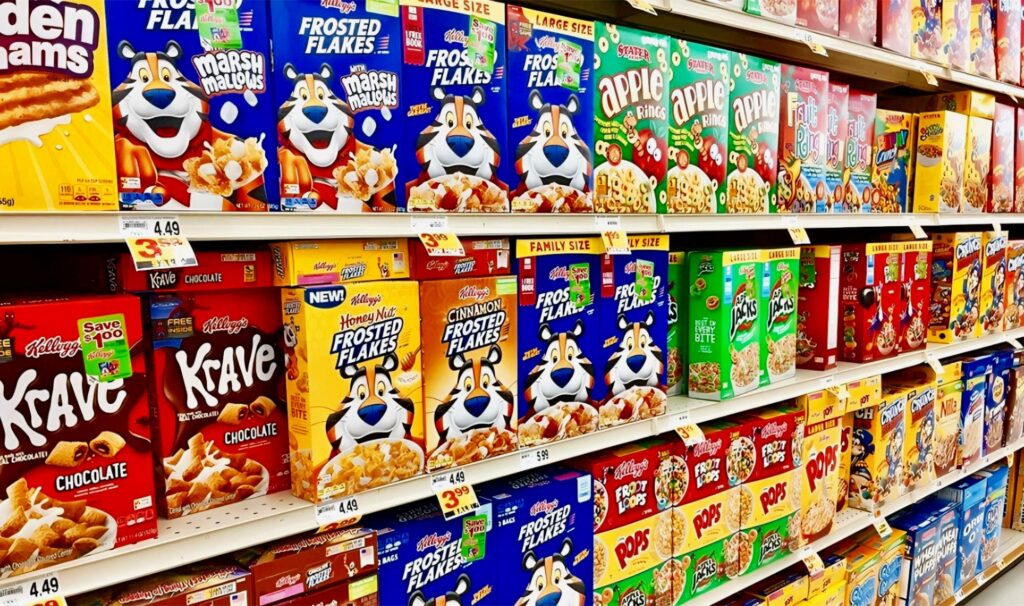
1.Significant Cost-Effectiveness:
One of the biggest advantages of the CMYK system is its ability to deliver high-quality, full-color printing using just four basic inks. This is a huge cost saver, particularly for large-scale packaging projects.
Since printers only need cyan, magenta, yellow, and black inks—rather than dozens of custom colors—companies can reduce their expenses on ink purchasing and keep their printing equipment simpler and more versatile.
This cost-effectiveness makes CMYK printing a top choice for industries where every cent counts, such as fast-moving consumer goods (FMCG). Whether you’re printing thousands of snack wrappers or beverage labels, CMYK helps brands control their budgets while still achieving bright, attractive packaging.
2.Broad Color Reproduction Capability:
Another key advantage of CMYK printing is its ability to cover a wide range of colors that meet the needs of different industries.
With just four inks, CMYK can reproduce everything from the vivid, eye-catching colors needed for food and beverage packaging—like bold reds, yellows, and blues—to the subtle, elegant shades seen on high-end cosmetics packaging.
This broad color range allows designers to get creative, ensuring that packaging can stand out on crowded shelves or convey a sense of luxury and sophistication.
Whether it’s the playful colors of a candy wrapper or the soft gold and blush tones of a beauty product, CMYK printing offers the flexibility to deliver the right look for any brand.
3.Seamless Integration with Special Finishing Techniques:
Beyond its compatibility with mainstream printing technologies, CMYK printing can also be perfectly combined with a variety of special finishing techniques—such as hot stamping (foil stamping), digital printing, and embossing/debossing.
For example, after using CMYK to print vibrant images and backgrounds, printers can add metallic accents with hot stamping to create an eye-catching, premium effect—often seen on luxury packaging(makeup; candle; perfume ) or gift boxes.
Comparison and Selection Strategies between CMYK and Other Color Models
The choice of color system directly affects the appearance and consistency of your packaging and brand materials. Whether your project is for digital display, mass printing, or premium branding, understanding the differences between CMYK, RGB, and Pantone (PMS) will help you select the most effective solution.
1.CMYK vs. RGB: How to Choose for Your Packaging and Branding
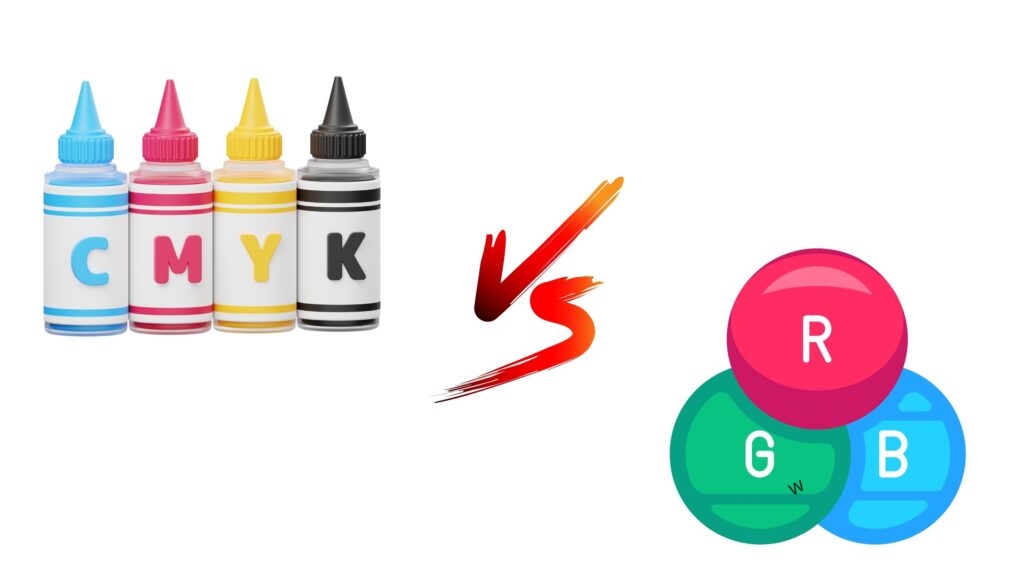
Color Range Difference:
- RGB (Red, Green, Blue) is made for screens. It creates bright, vibrant colors you see on computers, phones, and TVs. Some neon or very bright colors can only be shown in RGB.
- CMYK (Cyan, Magenta, Yellow, Black) is made for printing. Its color range is smaller, so certain bright RGB colors might look duller or different when printed.
When to Use Each:
- RGB is best for digital projects—like websites, online ads, or anything shown on a screen.
- CMYK is best for anything that will be physically printed—such as packaging, brochures, or product labels.
Our Advice:
- If your design will be printed, always set your files to CMYK from the start. This helps avoid unexpected color changes after printing.
- If your project is digital, use RGB for the most vivid results.
- For important packaging projects, we recommend asking for a printed proof to make sure the colors match your expectations.
2.CMYK vs. Pantone (PMS): Choosing the Right Color System
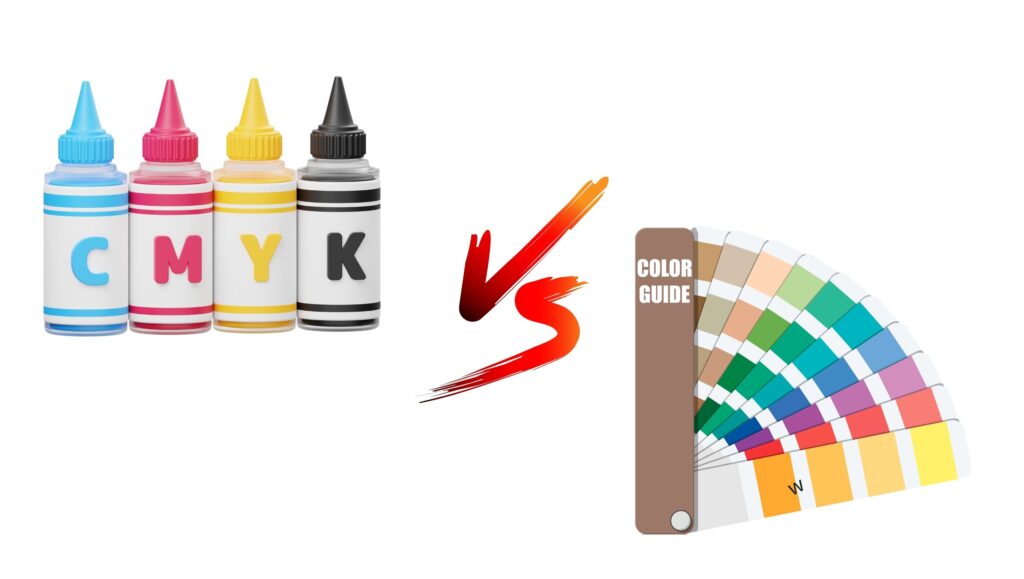
What is Pantone?
The Pantone Matching System (PMS) uses pre-mixed inks to create specific, standardized colors. Each Pantone color has a unique code, making it easy to communicate and match colors exactly—no matter where or when it’s printed. This system is widely used for ensuring brand colors always look the same.
Pantone’s Advantages:
- Accurate Color Matching: Pantone inks are mixed before printing, so you get the exact shade you choose, every time.
- Brand Consistency: Great for logos, luxury packaging, or any project where color accuracy and consistency matter most.
- Special Colors: Pantone can produce metallics, fluorescents, and other colors that CMYK simply can’t match.
When to Choose CMYK or Pantone:
- CMYK is best for large-scale, regular packaging printing. It keeps costs down while providing good color quality for most projects.
- Pantone is the better choice when you need perfect color accuracy—such as for brand logos, high-end or luxury packaging, or when working with special colors that can’t be achieved with CMYK.
Our Advice:
- For everyday packaging, CMYK usually offers the best balance of cost and quality.
- For your most important brand elements—or if you require absolute color consistency across different print runs and materials—Pantone is the way to go.
Practical Key Points of CMYK in Packaging Printing
1.File Preparation and Color Management
RGB to CMYK Conversion: Steps & Tips
- Always convert your design files from RGB to CMYK before printing. In software like Adobe Photoshop, go to Edit > Convert to Profile and select a suitable CMYK profile.
- Use color calibration tools and soft-proofing in Photoshop (View > Proof Colors) to preview how colors will look after conversion.
- Adjust colors as needed after conversion to maintain the closest possible match to your original design.
- or you can click here for change RGB to CMYK
Common Issues & Solutions:
- Color Darkening or Dullness: Tweak individual colors post-conversion, or use adjustment layers to restore vibrancy.
- Unexpected Color Shifts: Manually reselect critical brand colors using CMYK values, or consult your print provider for advice.
ICC Profiles and Color Calibration
- ICC profiles are digital files that describe how colors should appear on different devices (monitors, printers, etc.), ensuring consistent color reproduction.
- Use the ICC profile recommended by your print supplier, which matches their specific equipment, inks, and paper types.
- In design software, embed the correct ICC profile when saving/exporting your file.
- Regularly calibrate your monitor so what you see on screen matches printed output as closely as possible.
2.Influence of Printing Materials on CMYK
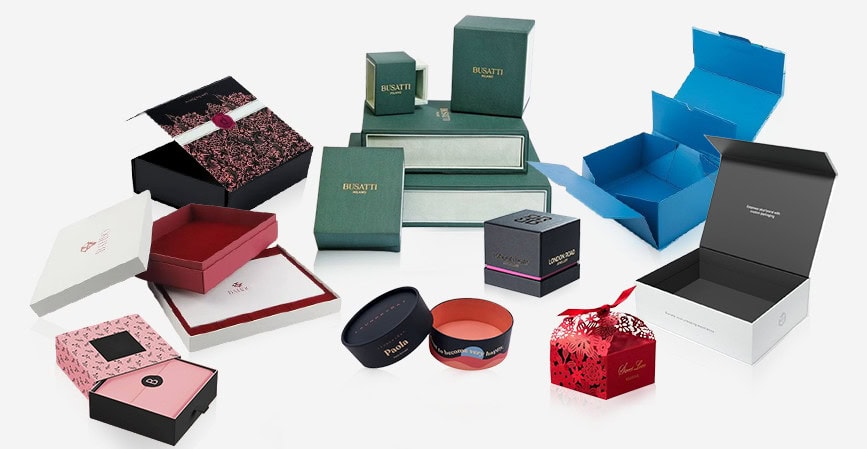
- Glossy Paper:
Reflects more light, making CMYK colors appear more vibrant and saturated. - Matte Paper:
Absorbs more ink, resulting in softer, less reflective, and slightly muted colors. - Kraft Paper or Uncoated Stock:
Strongly absorbs ink and has a natural, brownish base, causing CMYK colors to look warmer, duller, or less vibrant.
Selection Tip:
For bright, vivid colors, use glossy paper. For a premium and elegant look, use matte paper. For a natural or eco-friendly feel, choose kraft paper and adjust color choices accordingly.
Common CMYK Printing Issues and Our Professional Recommendations

As a printing and packaging company, we often encounter specific challenges with CMYK printing . Packaging buyers and brand owners should be aware of. Some typical issues include color shifts, insufficient saturation, or misregistration, especially with certain color types.
For example, blues and greens (created by overlapping cyan with magenta or yellow) are prone to color deviation—blues can look grayish and greens may appear dull, especially in lighter shades.
Deep colors like dark blue or brown require precise ink balance, or the results may turn out muddy or too dark. Purples can become unclear due to ink transparency, and neutral grays made from all four inks can easily shift in tone if the channels aren’t perfectly balanced.
Special colors such as fluorescent or metallic shades can’t be accurately reproduced with standard CMYK inks; they require separate spot colors or special processes. Also, for fine details or small text in “rich black” (where all four inks are used), misregistration can cause unwanted white outlines.
Our professional advice:
- For critical brand colors—especially blues, greens, and purples—we strongly recommend early proofing and, when necessary, using spot colors to achieve accurate results.
- For gray and black elements, stick to single black (K channel only) to avoid unwanted color shifts or registration issues.
- For fluorescent, metallic, or other specialty colors, plan for spot inks or finishing techniques right from the design stage.
- Always review files for rich black usage and fine lines to ensure proper channel setup before production.
By addressing these potential challenges early and working closely together on pre-production proofs, we can help ensure your packaging colors always deliver the impact and consistency your brand deserves.
Summary of Core Content:
The CMYK color model remains the foundation of packaging printing, offering reliable color reproduction, cost efficiency, and flexibility across various materials and processes.
If you’re looking to customize your printed packaging, contact us today—we’re here to help bring your brand vision to life!



 English
  العربية
  Deutsch (Sie)
  Español
  Français
  日本語
日本語  한국어
한국어  Italiano