
Picture this: you grab your morning coffee cup, pick up a cereal box, or peel off a product label. What do they all have in common? There’s a good chance they were printed using a method you’ve probably never heard of, but see everywhere.
What is Flexographic Printing
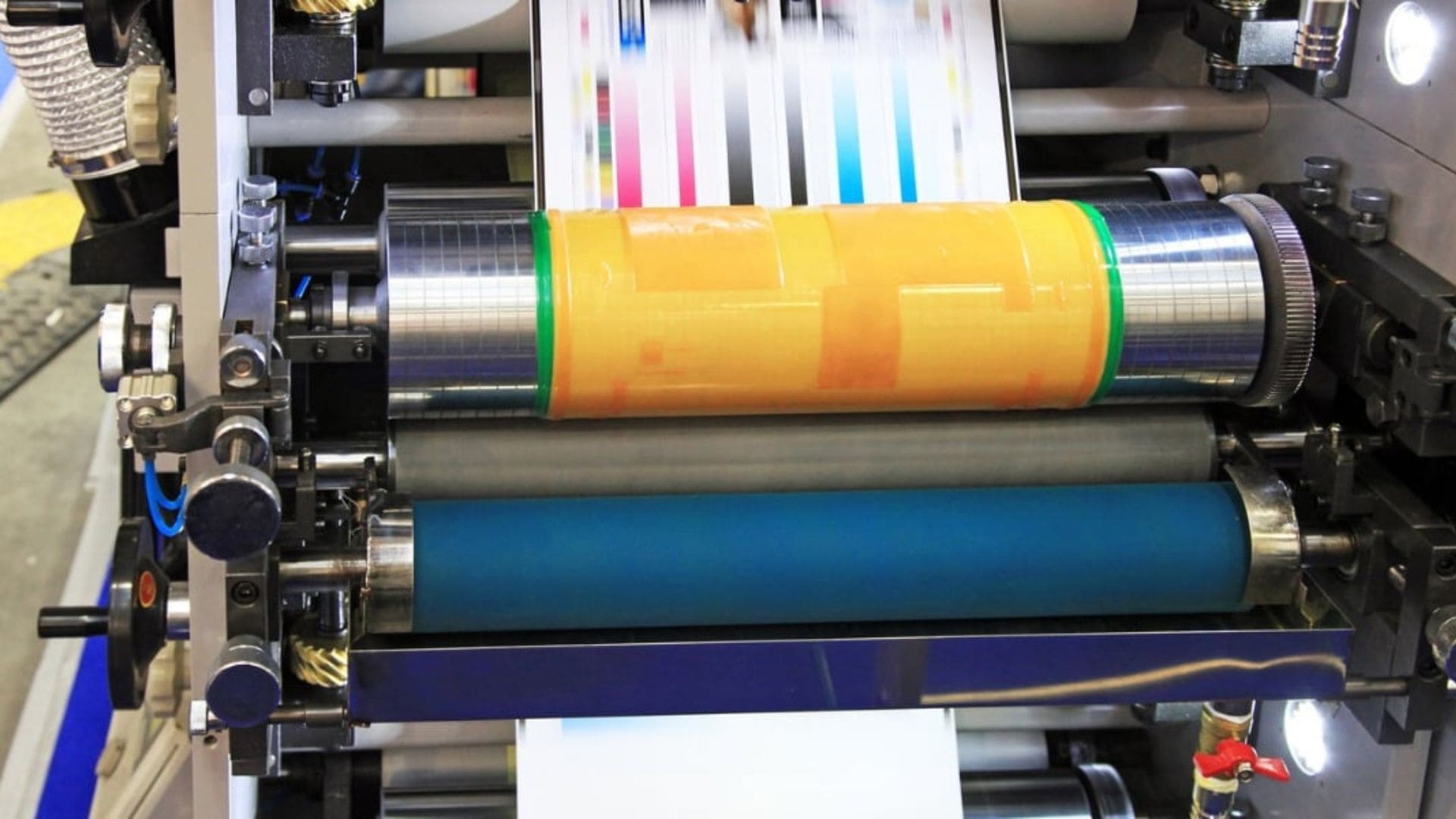
Flexographic printing, or flexo for short, is like the workhorse of the printing world. It’s a fast printing method that uses flexible plates to put ink on almost anything – from the wrapper on your candy bar to the box your shoes came in. Think of it as a giant stamp that can print thousands of items per hour.
Here’s why this matters to you: if you need lots of labels, packages, or printed materials made quickly and cheaply, flexo printing is probably your best friend. It hits that sweet spot where you get good quality without breaking the bank.
What is Flexographic Printing Evolution and Industry Role
Flexo printing didn’t start out this way. It began as an old printing method called letterpress – kind of like using a really big typewriter. But smart people figured out how to make it better.
The big change? They switched from hard printing plates to flexible ones. First came rubber plates, then even better photopolymer plates. These bendy plates can print on curved surfaces, rough textures, and materials that would make other printing methods cry.
Today, flexo faces some competition from digital printing – the new kid on the block. But here’s the thing: when you need to print thousands or millions of the same thing, flexo still wins. It’s faster and cheaper for big jobs, especially on tricky materials like plastic films or corrugated cardboard.

What is Flexographic Printing Core Principles and Components
Basic Working Mechanism of Flexographic Printing
Let’s break down how flexographic printing actually works. Think of it as a well-choreographed dance between several moving parts.
Flexible plates are the heart of the system. These are made from photopolymer (a special plastic) or rubber, and they have your design carved into them as raised bumps – kind of like a fancy rubber stamp. These plates wrap around spinning cylinders, ready to do their job.
Here’s where the magic happens with ink transfer: A special roller called an anilox roller picks up ink from the ink fountain. This roller has thousands of tiny cells etched into its surface – imagine a golf ball, but with way more dimples. These cells hold exactly the right amount of ink. A thin metal blade called a doctor blade scrapes off any extra ink, making sure each cell has just the right amount.
The impression step is the grand finale. Your material (paper, plastic, whatever you’re printing on) gets sandwiched between the plate cylinder (with your inked-up design) and the impression cylinder. The pressure squeezes them together, and boom – your design transfers perfectly onto your material.
What is Flexographic Printing Key Components
Think of these components as your printing team – each one has a specific job:
- The anilox roller is like your ink manager. It measures out exactly how much ink each part of your design gets. Too much ink and your print looks messy. Too little and it looks faded. This roller keeps everything just right.
- The doctor blade acts like a quality control inspector. It’s a thin metal scraper that removes excess ink from the anilox roller, making sure every print looks exactly the same. Without it, your first print might be perfect, but your hundredth could be a mess.
- Your plate cylinder is the artist of the group. It holds those flexible plates we talked about and spins them around to pick up ink and stamp it onto your material. The raised parts of the plate grab the ink, while the low parts stay clean.
- Finally, the impression cylinder is like the firm handshake that seals the deal. It applies just the right amount of pressure to make sure the ink bonds properly with your material – not too light that it barely shows, not too heavy that it smears.
What is Flexographic Printing Printing Process Stages

Prepress & Platemaking
Before any ink hits paper, your design needs to get ready for the flexographic printing world.
Artwork preparation is like translating your design into flexo language. Your colorful design gets converted to CMYK (cyan, magenta, yellow, and black – the four basic printing colors). But here’s the tricky part: flexible plates bend around cylinders, which can stretch your image slightly. Smart prepress technicians adjust for this image elongation and dot gain (when ink dots spread a bit) so your final print looks exactly like you wanted.
Plate production happens in two main ways:
- The traditional method uses film negatives to expose photopolymer plates to UV light, then washes away the unexposed parts – kind of like developing old-school photos.
- The modern digital platemaking skips the film and uses lasers to directly remove a black coating on the plate, creating your design instantly.
Press Setup
Getting the press ready is like tuning a race car – everything needs to be perfectly aligned.
First, operators mount the flexible plates onto the plate cylinders and make sure all the colors line up perfectly. This alignment is called registration, and if it’s off even a tiny bit, your four-color logo might look like a blurry mess.
Next comes the fine-tuning: adjusting the anilox roller and doctor blade positions, setting the right pressure between cylinders, and getting the material tension just right. Think of it as finding the sweet spot where everything flows smoothly and your ink coverage stays consistent from the first print to the millionth.
Printing Operation
Now for the main event – actual printing happens fast and efficiently.
Web feeding means your material comes from giant rolls and moves through the press like a high-speed conveyor belt. The material passes through multiple printing decks – separate printing stations, each handling one color. These can be:
- Stacked on top of each other
- Arranged around a central cylinder (CI configuration)
- Lined up in a row (in-line setup)
Ink application works one color at a time. Each color needs its own plate cylinder and ink station. As your material moves from deck to deck, drying units using UV light, infrared heat, or hot air cure each color before the next one goes on. This prevents colors from mixing together and creating a muddy mess.
Post-Press Finishing
Your printed material isn’t done yet – this is where it gets transformed into the final product you actually use.
- Die-cutting uses sharp metal dies (like giant cookie cutters) to cut your printed material into custom shapes. Whether you need round labels, fancy packaging pouches, or uniquely shaped stickers, die-cutting makes it happen.
- Embellishments add that extra wow factor. Cold foil stamping adds shiny metallic accents, varnishing gives a glossy or matte finish, and embossing creates raised textures you can feel. The best part? Modern flexo presses can do all this inline, meaning everything happens in one pass through the machine.
- Slitting and converting cuts your printed rolls into final products. Giant rolls become individual labels, packaging boxes, or whatever finished product your customers need. It’s like the final tailoring that turns fabric into a perfect-fitting suit.
What is Flexographic Printing Inks and Substrates
Ink Types for Flexographic Printing
Flexographic printing works with different types of inks, each designed for specific jobs and materials.
- Water-based inks are the eco-friendly choice. They’re perfect for printing on corrugated packaging and regular paper. Think of them as the environmentally conscious option – they produce fewer harmful fumes and are easier to clean up. Most cereal boxes and shipping cartons use these inks.
- Solvent-based inks are the workhorses for tough jobs. When you need to print on plastic films or industrial materials, these inks stick better and last longer. The trade-off? They produce more VOCs (volatile organic compounds), so they require better ventilation systems.
- UV and EB-curable inks are the speed demons of the ink world. They dry instantly when hit with UV light or electron beams, making them perfect for food packaging where you need durable, safe prints that won’t smudge or contaminate products.
Special environmental requirements
For Southeast Asia, use moisture- and heat-resistant inks (tested: 80% humidity, 72 hours, no color fading). We had an Indonesian client whose detergent packaging faded after 3 months in storage due to unsuitable ink. We reformulated and reprinted for free, avoiding a $12,000 loss for the client.
Cost comparison:
Solvent-based inks are about 20% cheaper than water-based, but may be held at customs in the US/EU for VOC issues (one Polish client was fined €8,000 in 2023.
Food-grade certification:
For US/EU markets, always request FDA-certified water-based ink test reports. For infant food packaging, EU AP 2002/3 compliance is required. In 2024, we supplied an Australian dairy client and proactively provided ink migration test reports, which helped them pass supermarket quality checks and increased their orders by 40%.
We share these experiences to help you avoid common risks and choose the right solution for your packaging.
What is Flexographic Printing Substrate Versatility
One of flexographic printing’s superpowers is printing on almost anything you can think of.
- Porous materials like paper, cardboard, corrugated boxes, and tissue soak up ink naturally. These are the bread and butter of flexo printing – from pizza boxes to paper towels, flexo handles them all.
- Non-porous materials are where flexo really shines compared to other printing methods. Plastic films like LDPE, BOPP, and PET, plus aluminum foil, laminates, and non-woven fabrics all work perfectly with flexo. Your potato chip bag? Probably printed with flexo.
- Specialty substrates include multi-layer laminates used for barrier packaging. These complex materials keep moisture and air away from sensitive products like coffee or pharmaceutical items, and flexo can print on them without damaging their protective properties.
What is Flexographic Printing Advantages and Limitations
Key Advantages
Flexographic printing excels where speed and volume matter most.
- Speed: Modern presses run at up to 2,000 feet per minute – that’s fast enough to print millions of labels in a single day. If you need massive quantities, nothing beats flexo for pure production speed.
- Cost-effectiveness: Kicks in with high volumes. Once you’ve covered the setup costs, each additional piece costs very little to print. Plus, flexible plates can be reused for repeat orders, reducing waste and saving money on future runs.
- Design flexibility: You’re not limited to basic printing. Flexographic printing handles CMYK colors, spot colors, Pantone matching, and specialty effects like foil stamping and textured finishes. You can create eye-catching packaging that stands out on shelves.
- Substrate range: Gives you options other printing methods can’t match. Whether you’re printing on flat surfaces, curved packaging, rigid materials, or flexible films, flexo adapts to handle them all.
Limitations
Flexographic printing isn’t perfect for every job, and understanding its limitations helps you make better decisions.
- High setup costs: Make small runs expensive. Creating plates and calibrating the press takes time and money. If you only need a few hundred pieces, the setup cost per unit might be higher than other printing methods.
- Dot gain challenges: Happen when ink spreads slightly during printing, potentially changing your colors. This requires skilled prepress work to compensate, and sometimes colors still don’t match exactly what you see on your computer screen.
- Detail restrictions: Mean flexographic printing isn’t ideal for extremely fine lines or tiny text. While it’s great for bold designs and readable text, digital or offset printing handle intricate details better.
The key is matching flexographic printing to the right jobs – high-volume runs where speed and cost per unit matter more than ultra-fine detail work.
Technological Advances of Flexographic Printing
Automation & Prepress Tools
Flexographic printing technology keeps getting smarter, making the whole process more reliable and efficient.
- Digital platemaking: Has practically eliminated the guesswork from plate creation. Instead of manually adjusting designs and hoping for the best, AI-driven color compensation automatically calculates how much to adjust your artwork for perfect final results. This means fewer test runs, less wasted material, and colors that match your expectations right from the start.
- Hybrid presses: Are changing what’s possible with flexo. These machines combine traditional flexographic printing with inkjet technology on the same press. You can print your main design with flexo’s speed and cost advantages, then add variable data like QR codes, batch numbers, or personalized labels with inkjet. It’s like having two printing methods working together seamlessly.
What is Flexographic Printing Sustainability Innovations
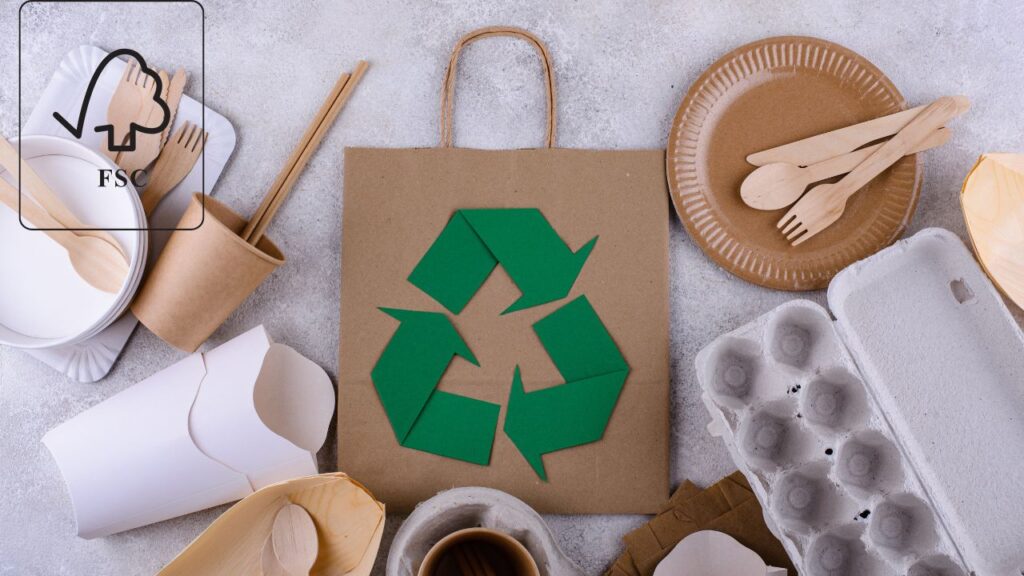
The printing industry is getting greener, and flexographic printing is leading many of these changes.
- Water-based inks and recycled substrates: Are becoming the standard rather than the exception. Modern water-based formulations now match the durability and print quality that used to require solvent-based inks, making eco-friendly choices easier for brands committed to sustainability.
- Energy-efficient UV curing systems: Using LED UV technology use significantly less power than traditional UV lamps. They also generate less heat, which means less energy needed for cooling and more comfortable working conditions. These systems pay for themselves through lower electricity bills while reducing your carbon footprint.
Extended Color Gamut (ECG)
Extended Color Gamut technology is solving one of the biggest headaches in multi-platform printing.
ECG creates standardized color reproduction across flexographic, digital, and offset printing. This means your packaging printed with flexo will match your brochures printed digitally and your business cards printed offset. For brands printing across multiple platforms or locations, this consistency is invaluable for maintaining brand integrity.
The technology works by using a standardized set of inks that can reproduce a wider range of colors than traditional CMYK printing. Instead of needing custom spot colors for brand matching, ECG can often reproduce your exact brand colors using its standard ink set, simplifying inventory and reducing costs while maintaining perfect color consistency.
For suggestion
We start you with the most cost-effective recommendation for your needs. For smaller orders or first runs, that’s usually digital printing—no plate fees, fast setup, and flexibility for as few as 500 units.
As your brand grows and order volume increases, we’ll transparently show you when switching to flexo will save you money and help you make that transition seamlessly. You never have to worry about being locked into the wrong process or supplier: we manage the technology, you manage your business.
Best Practices and Considerations For Flexographic Printing
Design Tips of Flexographic Printing
Smart design choices make the difference between okay prints and outstanding ones in flexographic printing.
- Start with vector files from Adobe Illustrator whenever possible. These files scale perfectly without losing quality, which matters when your design gets transferred to flexible plates.
- Avoid super thin lines and tiny details – they’re vulnerable to dot gain where ink spreads slightly, making crisp lines look fuzzy.
- Always include bleed and safety zones in your dielines. Bleed means extending your design past the cut line, so you don’t get white edges if the cutting is slightly off. Safety zones keep important text and logos away from cut edges. Think of it as giving your design some breathing room.
With a clear picture of Flexo’s versatility, you can now confidently compare it with all other techniques in our comprehensive guide.
Conclusion & Next Steps
Flexographic printing is the smart choice for high-volume, cost-effective, and versatile packaging. With ongoing advances in automation and sustainability, it’s the technology that keeps your brand ahead.
In summary: Choosing the right print process is the foundation of great packaging. With flexo, you get speed, scale, and creative flexibility—all tailored to your brand’s growth stage.
Ready to find the best printing solution for your next project? Contact our team for a free consultation and cost comparison—we’ll guide you every step of the way and make sure your packaging stands out for all the right reasons.
Frequently Asked Questions (FAQ) for Flexographic Printing Clients
Q1: Is flexographic printing suitable for my packaging needs?
Flexo is best for medium to large production runs (typically 5,000+ units) and works with most common packaging materials including paper, cardboard, and plastic films.
Q2: Can you print special effects like metallic colors, spot varnish, or embossing?
Yes, flexo supports a wide range of finishing options such as cold foil stamping, spot varnish, embossing, and die-cutting. Please specify your requirements when requesting a quote.
Q3: What file format do I need to provide?
Vector files (.ai, .pdf, .eps) are preferred for best print results. We can help adjust your design for flexo if needed.
Q4: Is flexographic printing environmentally friendly?
We can use water-based inks and recyclable or biodegradable materials on request. Let us know your sustainability goals, and we’ll recommend suitable options.
The Balanced Approach of Flexo: The Perfect Partner for Growing Brands
Flexo printing (flexography) is the workhorse of the packaging industry, striking the perfect balance between quality, cost, and flexibility. To maximize its value, you need to understand its strategic position relative to other technologies at different production scales.
- vs. Gravure Printing: [Learn how flexo provides near-gravure quality with much lower setup costs and greater flexibility, making it the more practical choice for the vast majority of brands.]
- vs. Offset Printing: [See how flexo’s versatility on flexible and non-porous materials makes it the go-to choice for labels, pouches, and corrugated packaging where offset can’t print.]
- vs. Digital Printing: [Explore the “cost crossover point” of moving from digital to flexo, and see how flexo dramatically reduces your unit costs as your order volume grows.]


 English
  العربية
  Deutsch (Sie)
  Español
  Français
  日本語
日本語  한국어
한국어  Italiano