

Introduction of Screen Printing vs Digital Printing
Choosing the right printing method affects your costs, quality, and timeline. Screen printing or digital printing each work best for different situations—but how do you know which one fits your project?
Screen printing handles large quantities with vibrant, durable colors. Digital printing works great for smaller runs, complex designs, and quick jobs. The difference in cost and results can be huge depending on what you’re printing.
This guide explains how each method works, what they cost, and when to use them. You’ll learn which option gives you the best value for your specific needs, helping you choose confidently and avoid costly mistakes.
Choosing Your Printing Method
| If Your Primary Need Is… | …And Your Project’s Characteristics Are… | …Then Your Best Choice Is |
|---|---|---|
| Cost Control | High volume (e.g., >100 units) with a simple design (1-3 colors), aiming for the lowest cost per unit. | Screen Printing |
| Cost Control | Low volume (e.g., <100 units), or for market testing and proofing. | Digital Printing |
| Speed | A tight deadline requiring delivery within a few days or for on-demand orders. | Digital Printing |
| Color Vibrancy | Extremely bold, bright colors, especially on dark materials, or requiring specialty inks like metallics or glow-in-the-dark. | Screen Printing |
| Photographic Detail | The design includes photos, complex color gradients, or extremely fine details. | Digital Printing |
| Personalization | Each item has unique content, such as different names, numbers, or images (Variable Data Printing). | Digital Printing |
| Durability & Feel | The print needs to be highly durable for outdoor use or heavy wear, and a thick, tactile ink finish is desired. | Screen Printing |
| Material Versatility | Printing on a wide variety of materials, including thick fabrics, plastics, wood, or metal. | Screen Printing |
Understanding the Core Technology: How They Work
Screen Printing: The Classic Method for Durability and Vibrance
Screen printing is a traditional method that uses a mesh screen and a stencil to push ink onto a surface. The process works in a few steps:
- Screen Preparation: A fine mesh screen is stretched over a frame, and a stencil of your design is created on it, blocking the areas where ink should not pass through.
- Ink Application: The item to be printed is placed under the screen. A thick layer of ink is applied to the top of the screen.
- Final Printing: A squeegee is pulled across the screen, pushing the ink through the open areas of the stencil and directly onto the material. Each color in your design requires a separate screen and application step.
This process creates a thick, raised layer of ink that is exceptionally vibrant and durable. For more about Screen printing click here for ultimate guide for screen printing.
Digital Printing: The Modern Solution for Detail and Speed
Digital printing works like a high-end office printer, applying ink directly from a digital file (like a PDF or AI file) onto the material without any screens or stencils. No manual setup is needed.
Two main types exist:
- Inkjet Printing: Tiny nozzles spray ink in precise, microscopic droplets to recreate your digital image. It excels at producing photographic detail and complex color gradients.
- Toner-based Printing: Electrically charged toner powder is applied to the material and then fused permanently in place with heat.
For more about digital printing click here for ultimate guide for digital printing.
Our job is to translate your design and material needs into the right printing process, so you don’t need to worry about the underlying technology. We will always advise you on the best printing method for your project, based on your actual needs—not just by numbers.
Side-by-Side Process Comparison
Here’s how the two methods compare across key factors that matter for your projects:
| Aspect | Screen Printing | Digital Printing |
|---|---|---|
| Prepress Setup | Time-consuming (screen preparation, stencil creation for each color). | Instant (no screens; direct file upload). |
| Ink Application | Thick ink pushed through a mesh screen with a squeegee. | Thin ink (liquid inkjet) or toner (powder) applied directly. |
| Color Management | Spot colors (Pantone) with precise, vibrant matching. | CMYK with extended color gamut; spot color approximation. |
| Substrate Compatibility | Very wide range (fabrics, wood, plastic, metal, textured surfaces). | Best on flat, smooth surfaces (paper, some fabrics). |
| Production Speed | Slower setup, but high-speed printing for large, single-color runs. | Fast setup and printing, ideal for multi-color and on-demand jobs. |
The Visual Impact: Quality, Color, and Finish
Resolution and Detail Sharpness
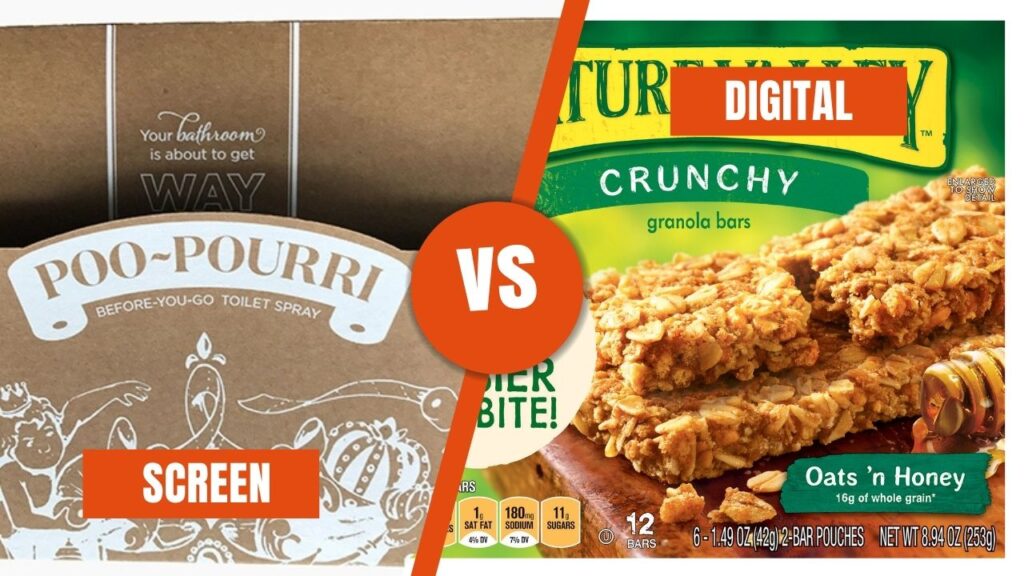
- Screen Printing: Perfect for bold graphics, logos, and text. The process creates sharp edges for simple designs but struggles with reproducing photorealistic images or very fine, intricate details due to the nature of the mesh screen. For designs with 1-3 solid colors, it delivers a rich, heavy-ink feel that digital can’t match.
- Digital Printing: Offers exceptionally high resolution (1200+ dpi), making it unmatched for photo-quality images, complex patterns, and smooth color gradients. For any design that is intricate or contains photography, digital printing provides maximum fidelity and flexibility that screen printing simply cannot achieve.
Color Consistency and Brand Accuracy
- Screen Printing: Achieves exceptionally vivid and opaque colors, especially on dark-colored materials. It allows for precise Pantone color matching using premixed inks, including specialty inks like neons, metallics, and glow-in-the-dark. Once calibrated, colors remain perfectly consistent across thousands of items.
- Digital Printing: Uses CMYK color mixing to approximate brand colors. While it produces a wide range of colors, exact Pantone matching is difficult, and colors may vary slightly between different print runs or machines. It is not ideal for specialty inks.
Tactile Feel and Final Finish
- Screen Printing: Creates a distinct, raised ink layer that you can feel. This tactile effect gives items a premium, durable quality and is a signature feature of the method.
- Digital Printing: Produces a flat, smooth finish where the ink is absorbed by the material. While this works well for detailed images, it lacks the premium tactile feel of screen printing.
Want to eliminate guesswork? We can produce physical samples for both processes. This lets you directly compare color vibrancy, print sharpness, and tactile feel. Seeing is believing!
The Financial Breakdown: A Practical Cost Analysis
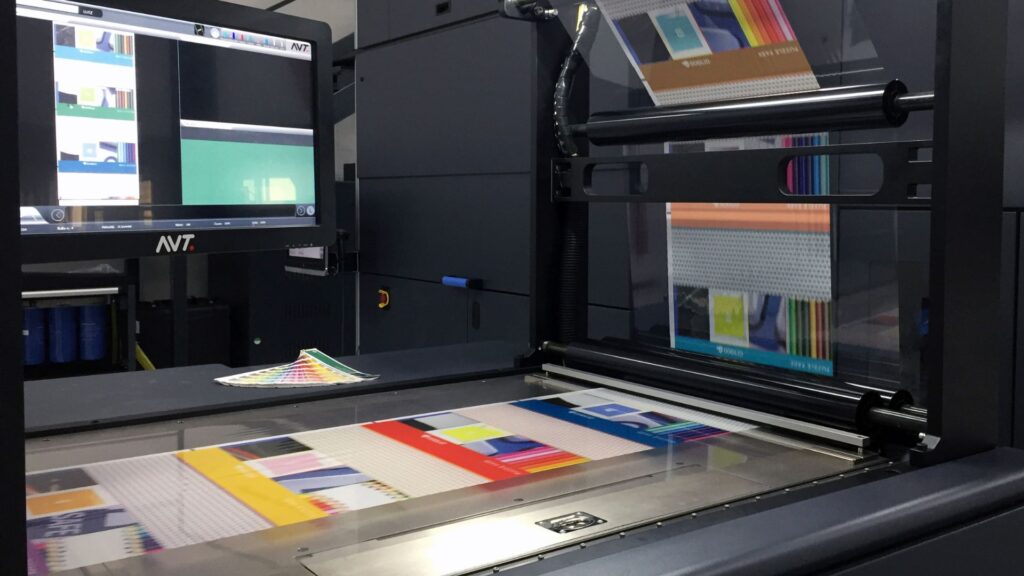
Understanding printing costs helps you make smart budget decisions. We turn “guesswork” into “arithmetic” by providing precise cost analysis for your specific project.
The Initial Investment: Setup Costs
- Screen Printing: High initial setup costs ($50-$100+ per design). Each color in your design requires its own screen and stencil, multiplying the setup fee. These costs are the same whether you print 10 items or 1,000.
- Digital Printing: Minimal to no setup costs ($0-$50). Since there are no physical screens to create, you can start printing almost immediately. Setup costs barely affect your total project cost.
The Price-Per-Piece: How Volume Drives Unit Costs
- Screen Printing: High per-unit cost for small runs, but the cost drops significantly for large volumes (100+ units) as the setup costs are spread across more pieces. The formula is: Total = Setup Fee + (Quantity × Lower Unit Price).
- Digital Printing: Consistent per-unit cost regardless of quantity. Printing 10 pieces costs the same per unit as printing 500. The formula is: Total = Quantity × Unit Price. No volume discounts, but no penalties for small orders.
Finding Your Break-Even Point: Cost-Effectiveness by Run Size
Rather than giving you vague quotes, we create clear cost charts based on your actual design. These two cost lines always cross at a specific point. For example: “For quantities up to 80 units, digital printing is more economical; above 80 units, screen printing’s lower unit price takes over.”
- Small runs (1-100 units): Digital printing wins for small, custom, or multi-color orders.
- Large runs (100+ units): Screen printing becomes significantly more cost-effective, especially for designs with fewer colors.
We’ll always show you the exact break-even point so you can make a 100% correct, data-based decision. No more fear of making the wrong choice.
Speed & Timelines: Meeting Your Deadlines
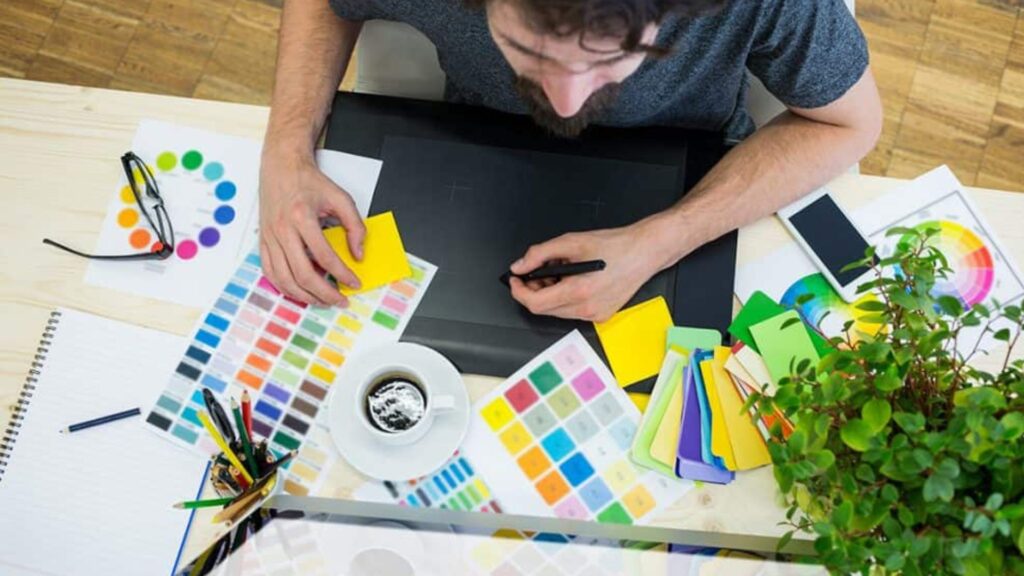
Timing matters. Each printing method handles deadlines differently based on setup requirements and production speeds.
From File to Press: The Upfront Time Commitment
- Screen Printing: Takes 1-3 hours for screen preparation and color calibration per color. This upfront work is necessary before any printing can begin.
- Digital Printing: Quick setup in 10-30 minutes for file processing and printer calibration. You can start printing almost immediately and switch between designs instantly.
The Pace of Production: How Fast Can You Print?
- Screen Printing: High-speed printing at 50-100+ items per hour for single-color designs once setup is complete. It is highly efficient for planned, high-volume projects.
- Digital Printing: Moderate speed at 10-50 items per hour. It compensates with instant setup and the ability to handle complex, multi-color designs in a single pass.
Total Project Turnaround: From Order to Delivery
- Screen Printing: Standard jobs take 3-7 days due to the setup process.
- Digital Printing: Same-day or next-day delivery is possible for urgent orders. We know delivery time is critical–digital printing offers ultra-fast turnaround ideal for trial orders or rush projects.
Bottom line: Digital wins for speed on small, complex, or urgent jobs. Screen printing wins for production efficiency on large, planned runs.
Unlocking Creativity: Flexibility and Customization
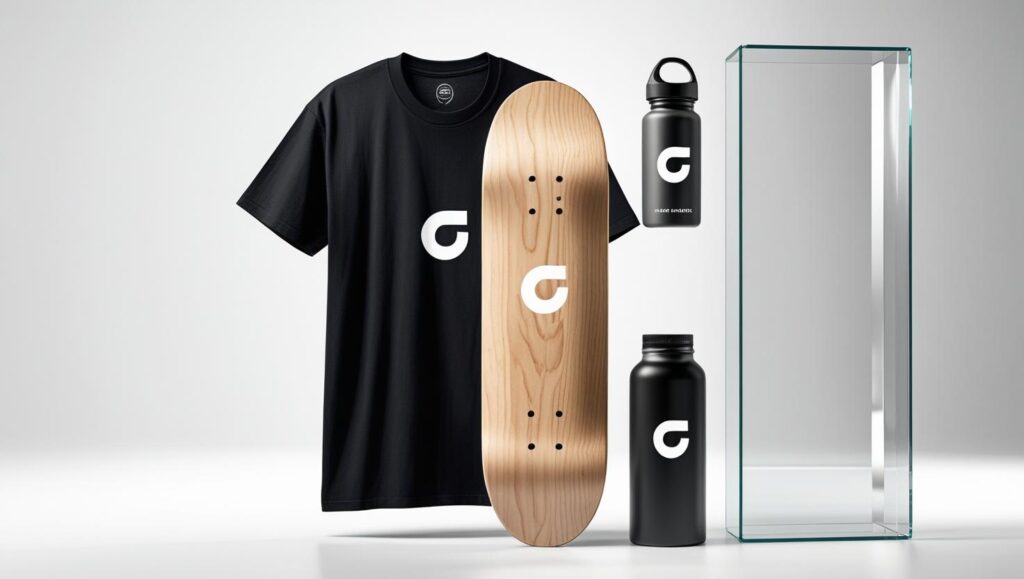
Different projects need different levels of flexibility. Here’s how each method handles customization and design changes.
The Power of Personalization: Variable Data Printing
- Screen Printing: Struggles with variable data. Each change (like a different name or number) would require a new screen, making it impractical and expensive for personalized content.
- Digital Printing: Excels at printing unique content on each piece. It’s perfect for personalized marketing, custom team jerseys with individual names, or items with unique serial numbers, all without extra setup costs.
Beyond Paper: Substrate and Material Versatility
- Screen Printing: Extremely versatile. It works on a huge range of materials, including cotton, polyester, wood, plastic, metal, and glass. Its thick ink provides excellent coverage on both light and dark surfaces.
- Digital Printing: More limited. It works best on flat, smooth surfaces like paper and specially coated fabrics. Printing on dark materials can be challenging, and it is not suitable for most non-porous or heavily textured materials.
Adapting on the Fly: Design Iterations and Prototyping
- Screen Printing: Expensive to modify designs, since new screens cost money. Best when your artwork is completely finalized.
- Digital Printing: Easy to update files and print test samples without additional costs. Perfect for testing different design variations or making last-minute changes before a full production run.
Sustainability: Analyzing the Environmental Footprint
Sustainability matters. Both printing methods offer eco-friendly options when you need them.
The Ecological Profile of Screen Printing
- Ink Types: Traditional plastisol inks are durable but less eco-friendly. Water-based and soy-based inks provide a greener alternative.
- Waste Production: Creates waste from used screens, stencil materials, and cleaning chemicals. Many supplies can be reclaimed or recycled.
- Energy Use: Requires energy for screen preparation and heat-curing the ink, but the printing process itself is low-energy.
The Environmental Edge of Digital Printing
- Ink and Toner: Often uses water-based inks with low VOCs (Volatile Organic Compounds). Toner cartridges can be recycled through manufacturer programs.
- Waste Production: Minimal waste since no screens or stencils are needed. It’s a “print-on-demand” process, reducing overproduction.
- Energy Use: The printing process itself consumes more energy due to heating elements, but there is less energy used in the prepress stage.
Making the Sustainable Choice
Both processes can be tailored for sustainability. We offer eco-friendly options including water-based inks, recyclable materials, and organic cotton apparel. Tell us your sustainability goals, and we’ll recommend the best green solution for your project.
Real-World Scenarios: Applications by Industry
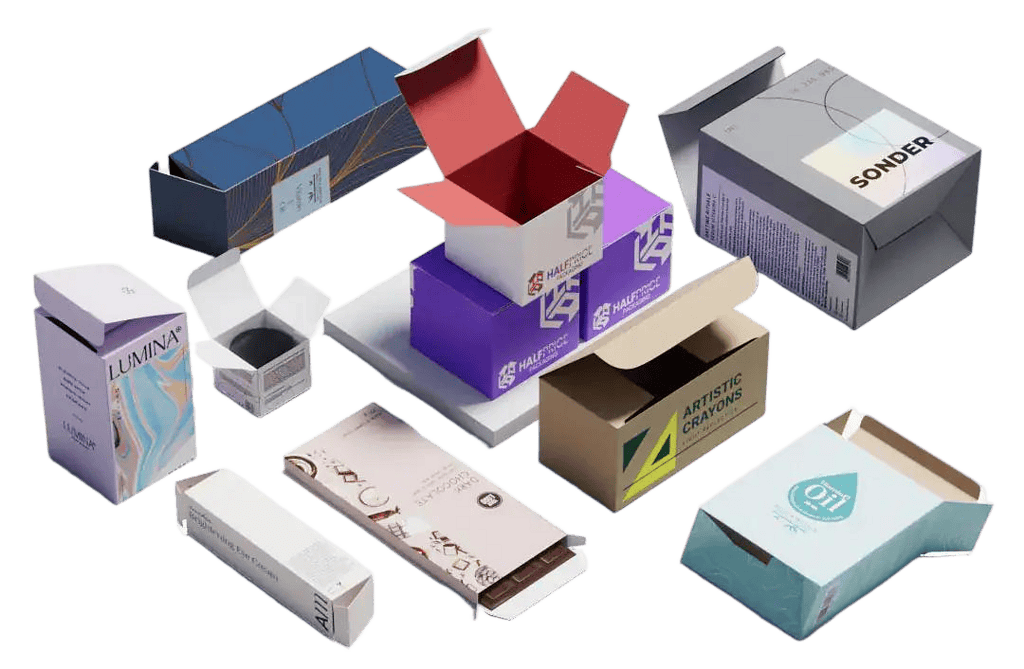
Each printing method excels in different scenarios. Here’s where each works best.
When to Choose Screen Printing: Bulk, Brands, and Boldness
- Apparel & Merchandise: T-shirts, hoodies, and tote bags for corporate branding, team uniforms, or bands. Perfect for large runs with bold, solid-color logos that need to be durable and vibrant.
- Promotional Items: Custom signage, posters, and industrial labels where durability and color vibrancy are critical.
- Specialty Finishes: Any project requiring a premium, tactile feel or specialty inks like metallics, puff ink, or glitter on a large scale.
When to Choose Digital Printing: Detail, Data, and Deadlines
- E-commerce & On-Demand: Businesses selling custom-designed t-shirts, phone cases, or mugs one at a time. Digital enables a no-inventory, print-on-demand business model.
- Marketing & Prototypes: Small batches of promotional items for an event, samples for a client, or prototypes to test a new design.
- Personalized Goods: Custom gifts, team jerseys with individual names and numbers, or any item where each piece is unique.
The Future of Print: Hybrid Solutions and Innovations
Your needs may evolve as your business grows. We offer flexible solutions that adapt to your requirements.
The Best of Both Worlds: Integrating Screen and Digital
Hybrid printing combines both techniques on a single item. For example, we can use screen printing to lay down a cost-effective, opaque white base layer on a dark shirt, then use digital printing on top to add a full-color, detailed photograph. This gives you the vibrant base of screen printing with the detail of digital.
What’s Next?: Technological Advances on the Horizon
- Digital Press Improvements: Newer digital presses are getting faster, more cost-effective, and compatible with a wider range of materials, narrowing the gap with screen printing.
- Eco-Friendly Innovations: Advances in water-based inks for screen printing and more energy-efficient digital printers are making both processes more sustainable.
Stop guessing and start knowing. Contact a printing expert today. Just share your project vision, and we’ll provide a clear, expert recommendation and a complimentary quote. Let’s create something that doesn’t just look good—it performs perfectly for your needs.
Frequently Asked Questions (FAQ)
Q: Is offset or digital printing better for my packaging?
A: We recommend based on your order size, design complexity, and required finish. Digital works best for small, flexible runs while offset excels for large, brand-critical batches.
Q: What is the minimum/maximum order quantity?
A: Digital has no minimum order – perfect for small runs or tests. Offset typically becomes cost-effective above 2,000 units, though we’ll show you the exact break-even point for your specific project.
Q: Can I get a sample before full production?
A: Absolutely! We offer real samples for both methods so you can compare color, sharpness, and finish directly. No guesswork about final quality.
Q: How long does production take?
A: Digital printing takes 2-5 days for most jobs. Offset printing requires 5-10 days depending on setup and quantity. Urgent deadline? Let us know and we’ll find the fastest solution.
Q: Are there eco-friendly materials or inks available?
A: Yes. Just ask and we’ll advise on the most sustainable options for your project, including soy-based inks, FSC-certified paper, and recyclable materials.
Q: What file format do I need? What if I don’t have a design?
A: Vector files (AI, PDF) work best for both printing methods. If you need help, our team can assist with artwork preparation to ensure optimal print results.
Q: How do I know when to switch from digital to offset?
A: We’ll provide a clear cost comparison showing exactly where offset becomes more cost-effective based on your real order size and design requirements. No guesswork about pricing.
Q: What if I need to change my order or design?
A: Digital printing allows quick changes and tests without extra costs. Offset works best for finalized, stable designs since changes require new plates.

 English
  العربية
  Deutsch (Sie)
  Español
  Français
  日本語
日本語  한국어
한국어  Italiano